学会如何使用 man 命令去阅读文档。学会使用 apropos 去查找文档。知道有些命令并不对应可执行文件,而是在 Bash 内置好的,此时可以使用 help 和 help -d 命令获取帮助信息。你可以用 type 命令 来判断这个命令到底是可执行文件、shell 内置命令还是别名。
first script
#当注释用
#!/bin/sh
#指定:that what follows should be interpreted by the Bourne shell.
# This is a comment!
echo Hello World        # This is a comment, too!
#echo命令,接收两个参数,自动在两个参数间添加空格
#区分:echo "hello world"只有一个参数
#!/bin/sh echo What is your name? read MY_NAME #read会自动加双引号 echo"Hello $MY_NAME - hope you're well."
export:When you call myvar2.sh from your interactive shell, a new shell is spawned to run the script.
所以想在使用这个运行.\myvar.sh时,先export
shell 脚本运行完之后,变量的值带不出来。
source:source the script - this effectively runs the script within our own interactive shell, instead of spawning another shell to run it. $ . ./myvar2.sh使用点命令来做到这一点
#!/bin/sh echo"What is your name?" read USER_NAME echo"Hello $USER_NAME" echo"I will create you a file called ${USER_NAME}_file" touch"${USER_NAME}_file"
#!/bin/sh for i in 1 2 3 4 5 do echo"Looping ... number $i" done
#!/bin/sh for i in hello 1 * 2 goodbye do echo"Looping ... i is set to $i" done ''' Looping ... i is set to hello Looping ... i is set to 1 Looping ... i is set to (name of first file in current directory) ... etc ... Looping ... i is set to (name of last file in current directory) Looping ... i is set to 2 Looping ... i is set to goodbye '''
#!/bin/sh INPUT_STRING=hello while [ "$INPUT_STRING" != "bye" ] #注意[]要有空格,=周围也有空格 do echo"Please type something in (bye to quit)" read INPUT_STRING echo"You typed: $INPUT_STRING" done
#!/bin/sh while : #:在真值判断中总是true do echo"Please type something in (^C to quit)" read INPUT_STRING echo"You typed: $INPUT_STRING" done
#!/bin/sh whileread input_text do case$input_textin hello) echo English ;; howdy) echo American ;; gday) echo Australian ;; bonjour) echo French ;; "guten tag") echo German ;; *) echo Unknown Language: $input_text ;; esac done < myfile.txt #<file redirection #<<< string input #将每一行读进input变量,然后根据其值来选,*就是default
Test
Test is used by virtually every shell script written. It may not seem that way, because test is not often called directly. test is more frequently called as [.
‘[’ is actually a program, just like ls and other programs, so it must be surrounded by spaces:
Some shells also accept “==” for string comparison; this is not portable, a single “=” should be used for strings, or “-eq” for integers.
#!/bin/sh if [ "$X" -lt "0" ] then echo"X is less than zero" fi if [ "$X" -gt "0" ]; then echo"X is more than zero" fi [ "$X" -le "0" ] && \ echo"X is less than or equal to zero" [ "$X" -ge "0" ] && \ echo"X is more than or equal to zero" [ "$X" = "0" ] && \ echo"X is the string or number \"0\"" [ "$X" = "hello" ] && \ echo"X matches the string \"hello\"" [ "$X" != "hello" ] && \ echo"X is not the string \"hello\"" [ -n "$X" ] && \ echo"X is of nonzero length" [ -f "$X" ] && \ echo"X is the path of a real file" || \ echo"No such file: $X" [ -x "$X" ] && \ echo"X is the path of an executable file" [ "$X" -nt "/etc/passwd" ] && \ echo"X is a file which is newer than /etc/passwd"
The backslash (\) serves a similar, but opposite purpose: it tells the shell that this is not the end of the line, but that the following line should be treated as part of the current line.
echo -en "Please guess the magic number: " read X echo$X | grep "[^0-9]" > /dev/null 2>&1 if [ "$?" -eq "0" ]; then # If the grep found something other than 0-9 # then it's not an integer. echo"Sorry, wanted a number" else # The grep found only 0-9, so it's an integer. # We can safely do a test on it. if [ "$X" -eq "7" ]; then echo"You entered the magic number!" fi fi ''' grep [0-9] finds lines of text which contain digits (0-9) and possibly other characters The >/dev/null 2>&1 directs any output or errors to the special "null" device, instead of going to the user\'s screen. '''
case
#!/bin/sh
echo"Please talk to me ..." while : do read INPUT_STRING case$INPUT_STRINGin hello) echo"Hello yourself!" ;; bye) echo"See you again!" break ;; *) echo"Sorry, I don't understand"# default situation ;; esac done echo echo"That's all folks!" ''' The whole case statement is ended with esac (case backwards!) then we end the while loop with a done. '''
Variables(part 2)
The first set of variables we will look at are $0 … $9 and $#.
The variable $0 is the basename of the program as it was called. $1 … $9 are the first 9 additional parameters the script was called with.
The variable $@ is all parameters $1 … whatever. The variable $*, is similar, but does not preserve any whitespace, and quoting, so “File with spaces” becomes “File” “with” “spaces”. This is similar to the echo stuff we looked at in A First Script. As a general rule, use $@ and avoid $*. $# is the number of parameters the script was called with.
#!/bin/sh echo"I was called with $# parameters" echo"My name is $0" # echo "My name is `basename $0`"清除前面一大串,注意是键盘左上角那个 echo"My first parameter is $1" echo"My second parameter is $2" echo"All parameters are $@"
#!/bin/sh while [ "$#" -gt "0" ] # \text{只要还有参数}($# 表示参数个数 > 0),就继续循环 do echo"\$1 is $1"# 打印当前第一个参数的值($1) shift# 参数左移:丢弃 $1,\text{原来的} $2 变成新的 $1,以此类推 done
特殊的值 $?
#!/bin/sh /usr/local/bin/my-command if [ "$?" -ne "0" ]; then echo"Sorry, we had a problem there!" fi #这段代码尝试运行/usr/local/bin/my-command #如果没问题(返回值是0)就没问题,如果出问题,就可以处理这个问题 # $?实质包含的是上一次运行程序的返回值
The $$ variable is the PID (Process IDentifier) of the currently running shell. This can be useful for creating temporary files, such as /tmp/my-script.$$ which is useful if many instances of the script could be run at the same time, and they all need their own temporary files.
The $! variable is the PID of the last run background process. This is useful to keep track of the process as it gets on with its job.
Another interesting variable is IFS. This is the Internal Field Separator. The default value is SPACE TAB NEWLINE, but if you are changing it, it’s easier to take a copy, as shown:
echo"Please input some data separated by colons ..." read x y z IFS=$previous_ifs# \text{无引号},\text{但此时}$previous_ifs的值是安全的(仅为分隔符字符) echo"x is $x y is $y z is $z"
Varieable(part 3)
curly brackets around a variable avoid confusion
using default values
#!/bin/sh echo -en "What is your name [ `whoami` ] " ''' echo 命令打印后面的文本 -e 选项启用反斜杠转义解释 -n 选项表示不输出末尾的换行符(这样用户输入会出现在同一行) 文本中 [ whoami ] 会先执行 whoami 命令(显示当前用户名),然后嵌入到字符串中 例如,如果当前用户是 "john",会显示 "What is your name [ john ] " ''' read myname if [ -z "$myname" ]; then ''' if 开始条件判断 [ -z "$myname" ] 检查变量 myname 是否为空(长度为 0) [ ] 是 test 命令的另一种形式 ''' myname=`whoami` fi echo"Your name is : $myname"
echo"Your name is : ${myname:-`whoami`}" #参数扩展:myname没指定的时候就用后面的值,指定了就用myname #echo "Your name is : ${myname:=John Doe}"一个意思等号表示赋值
external program
The backtick (`)is also often associated with external commands.
The backtick is used to indicate that the enclosed text is to be executed as a command.
with a simple script, the function is simply declared in the same file as it is called.
when writing a suite of scripts, it is often easier to write a “library” of useful functions, and source that file at the start of the other scripts which use the functions.
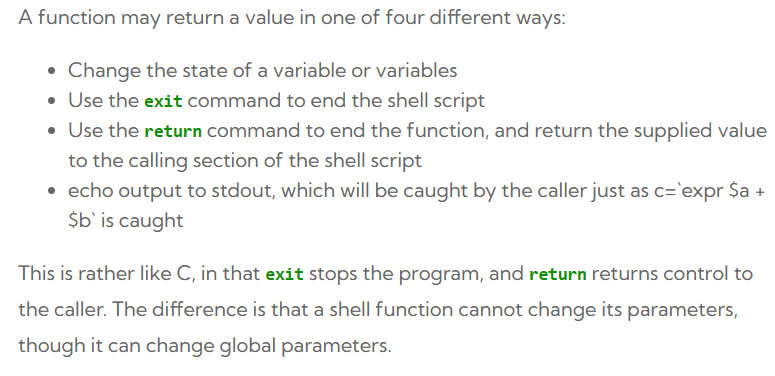
procedure:主要是进行各种操作,没有返回值
function:主要会返回一些值,没有操作
shell中不区分
#!/bin/sh # A simple script with a function...
add_a_user() { USER=$1 PASSWORD=$2 shift; shift; # Having shifted twice, the rest is now comments ... COMMENTS=$@ echo"Adding user $USER ..." echo useradd -c "$COMMENTS"$USER echo passwd $USER$PASSWORD echo"Added user $USER ($COMMENTS) with pass $PASSWORD" }
### # Main body of script starts here ### echo"Start of script..." add_a_user bob letmein Bob Holness the presenter add_a_user fred badpassword Fred Durst the singer add_a_user bilko worsepassword Sgt. Bilko the role model echo"End of script..."
myfunc() { x=1 echo"x is $x" x=2 } myfunc 1 2 3 | tee out.log # 第一次输出 "x is 1" echo"x is $x"# 第二次输出仍然是 "x is 1",因为管道导致 myfunc 在子Shell中运行
#tee命令:tee 是一个常用的 Linux/Unix 命令,用于同时将数据输出到标准输出(stdout)和文件。 command | tee [选项] 文件名
函数改变不了调用它的参数(直接)
#!/bin/sh
myfunc() { echo"\$1 is $1" echo"\$2 is $2" # cannot change $1 - we'd have to say: # 1="Goodbye Cruel" # which is not a valid syntax. However, we can # change $a: a="Goodbye Cruel" }
### Main script starts here
a=Hello b=World myfunc $a$b echo"a is $a" echo"b is $b"
Recursion
#!/bin/sh
factorial() { if [ "$1" -gt "1" ]; then i=`expr$1 - 1` # expr:用于执行算术运算 j=`factorial $i` #递归调用 k=`expr$1 \* $j` #乘法运算 echo$k else echo 1 fi }
while : do echo"Enter a number:" read x factorial $x done
除非你知道自己在做什么,否则变量和命令替换永远加双引号
# common.lib # Note no #!/bin/sh as this should not spawn # an extra shell. It's not the end of the world # to have one, but clearer not to. # STD_MSG="About to rename some files..." #标准提示信息,用于调用脚本时查看
rename() { # expects to be called as: rename .txt .bak FROM=$1 #原始拓展名 TO=$2 #目标拓展名 for i in *$FROM do j=`basename$i$FROM` #获取主文件名 mv$i${j}$TO#重命名,{}只是为了精准 done }
adduser() { USER=$1 PASSWORD=$2 shift ; shift COMMENTS=$@ useradd -c "${COMMENTS}"$USER #-c用于设置用户描述信息 if [ "$?" -ne "0" ]; then echo"Useradd failed" return 1 fi passwd $USER$PASSWORD if [ "$?" -ne "0" ]; then echo"Setting password failed" return 2 fi echo"Added user $USER ($COMMENTS) with pass $PASSWORD" }
## Main script starts here
adduser bob letmein Bob Holness from Blockbusters ADDUSER_RETURN_CODE=$? if [ "$ADDUSER_RETURN_CODE" -eq "1" ]; then echo"Something went wrong with useradd" elif [ "$ADDUSER_RETURN_CODE" -eq "2" ]; then echo"Something went wrong with passwd" else echo"Bob Holness added to the system." fi #为什么需要先储存$?,调用下一个的if的时候会被清除,所以先要保存